Posted on — Leave a comment

Email phishing examples: Example 4

4. Legit companies know how to spell

Possibly the easiest way to recognise a scam email is bad grammar. An email from a legitimate organisation should be well written. Little known fact – there’s actually a purpose behind bad syntax. Hackers generally aren’t stupid. They prey on the uneducated believing them to be less observant and thus, easier targets.
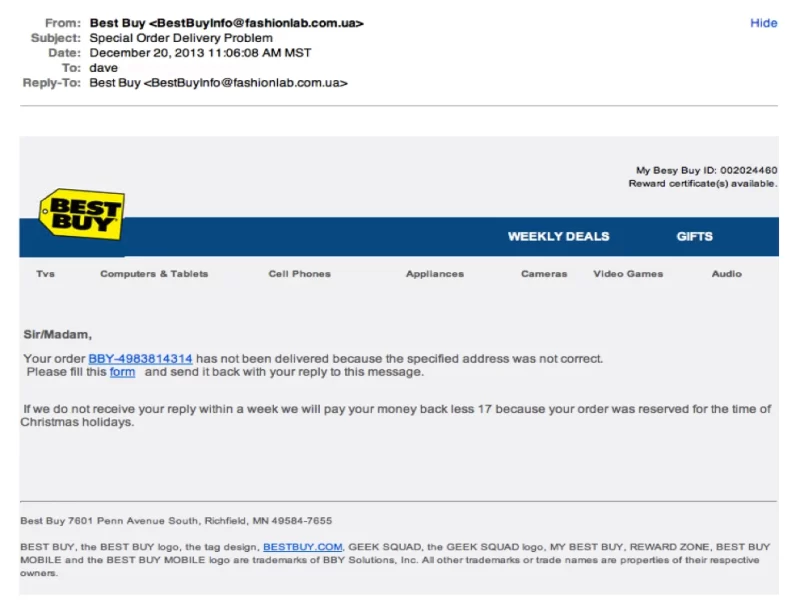
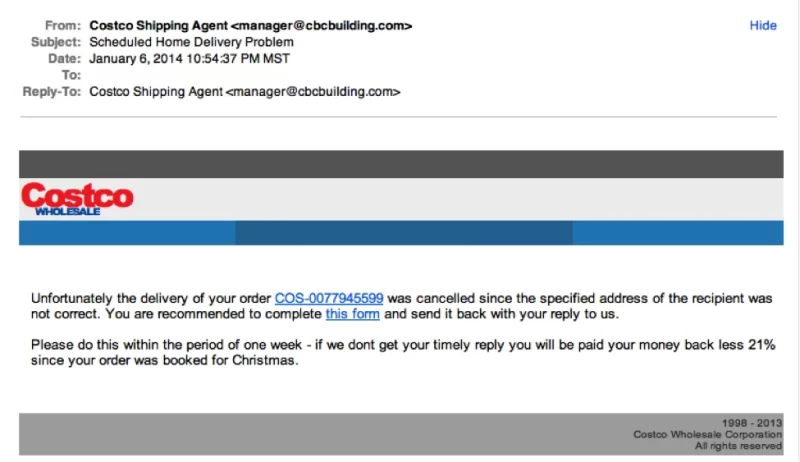
In addition to the generic salutation, grammar gaffes are usually a good clue that something is wrong. “Please fill this form…” And notice the ‘17’ reference in the middle of the sentence.

In the next article: Email Phishing Example 5
Posted on — Leave a comment

Email phishing examples: Example 3

3. Legit companies have domain emails

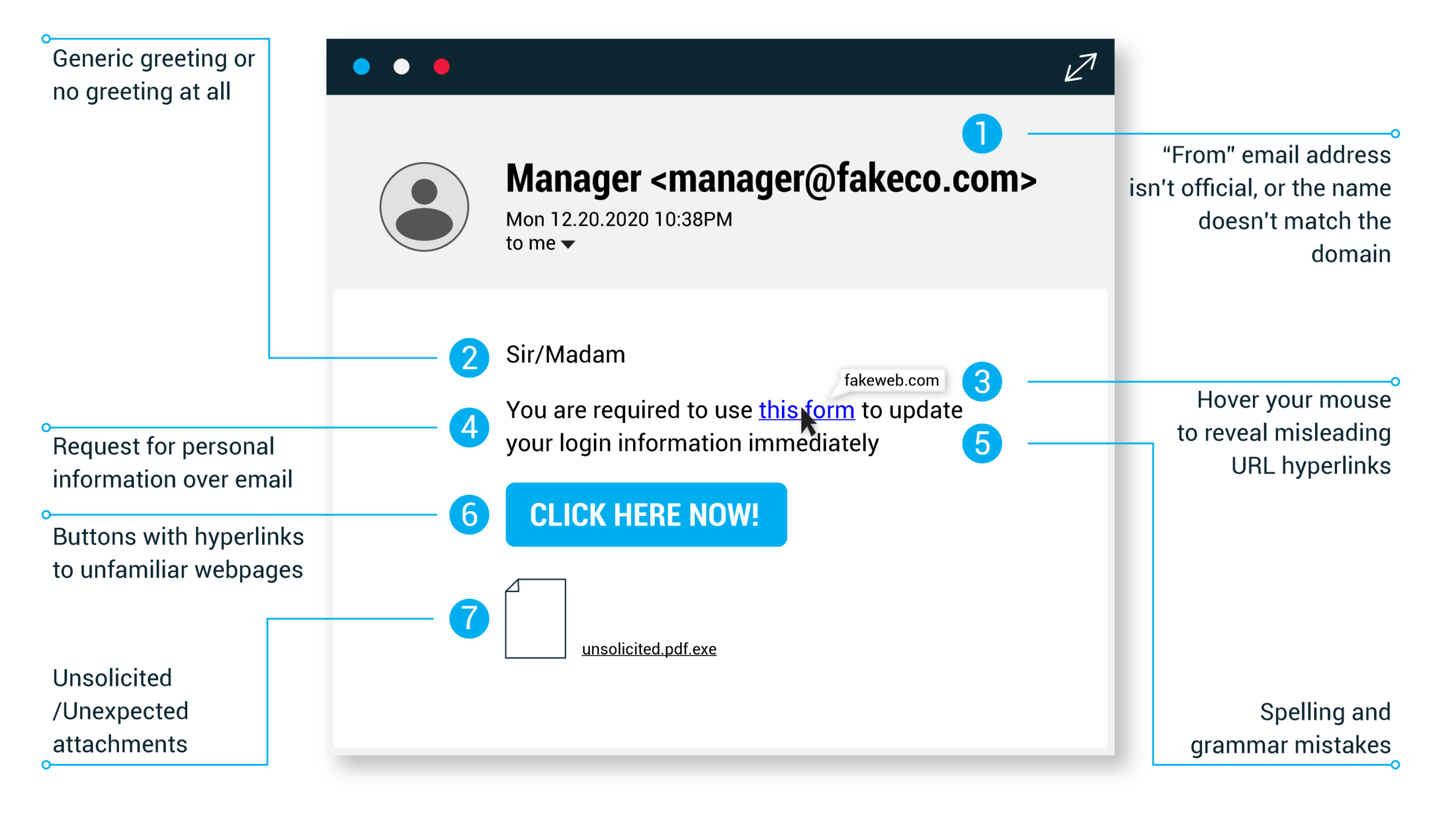
Don’t just check the name of the person sending you the email. Check their email address by hovering your mouse over the ‘from’ address. Make sure no alterations (like additional numbers or letters) have been made. Check out the difference between these two email addresses as an example of altered emails: michelle@paypal.com michelle@paypal23.com

Just remember, this isn’t a foolproof method. Sometimes companies make use of unique or varied domains to send emails, and some smaller companies use third party email providers.

 “Costco’s” logo is just a bit off.
Notice the subtle logo difference between the logo in the email and the official logo above

In the next article: Email Phishing Example 4

Posted on — Leave a comment

Email phishing examples: Example 2

2. Legit companies usually call you by your name

Phishing emails typically use generic salutations such as “Dear valued member,” “Dear account holder,” or “Dear customer.” If a company you deal with required information about your account, the email would call you by name and probably direct you to contact them via phone.

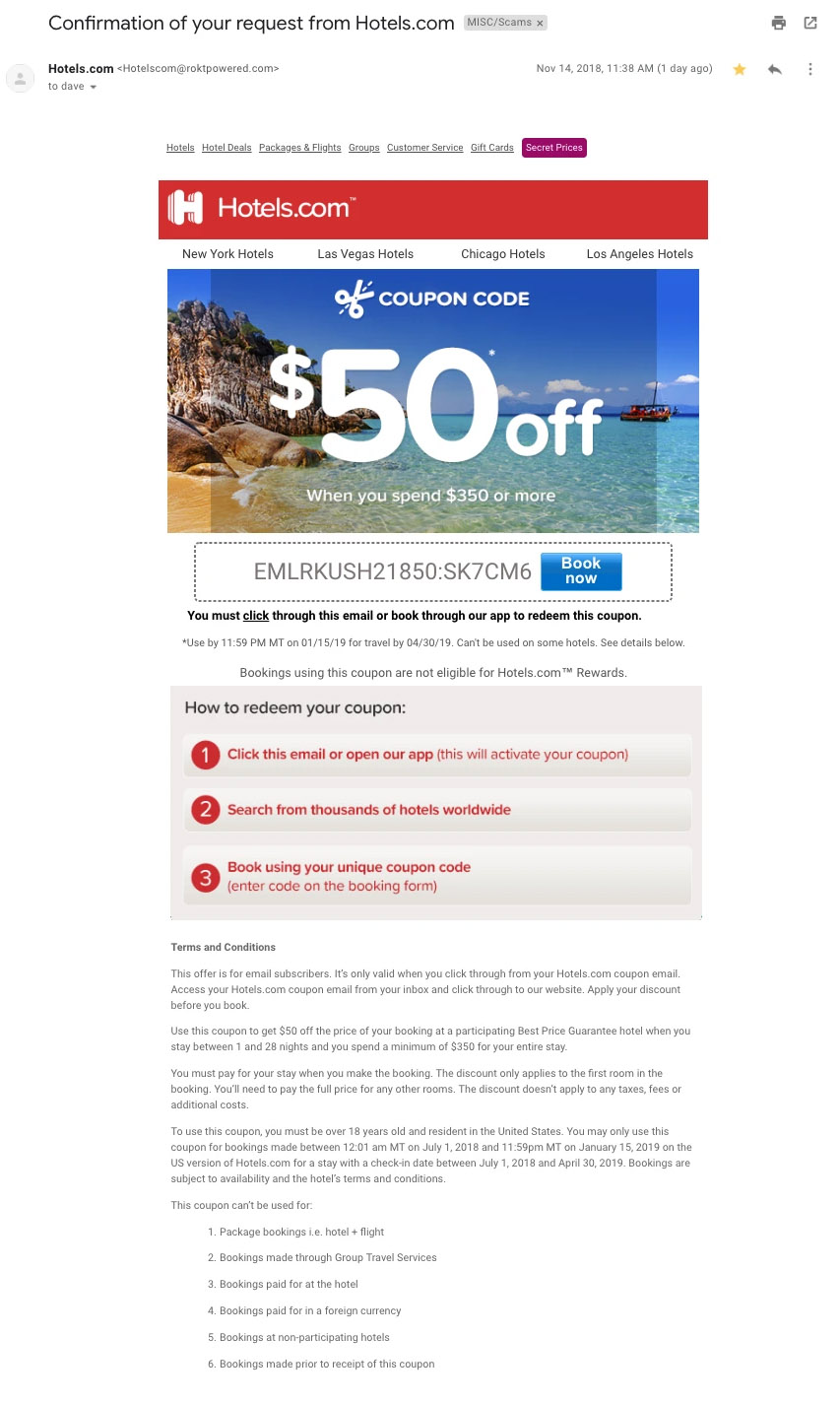
BUT, some hackers simply avoid the salutation altogether. This is especially common with advertisements. The phishing email below is an excellent example. Everything in it is nearly perfect. So, how would you spot it as potentially malicious?

This is a very convincing email.  For me, the clue was in the email domain. More on that below.

In the next article: Email Phishing Example 3

Posted on — Leave a comment

Email phishing examples: Example 1

1. Legit companies don’t request your sensitive information via email

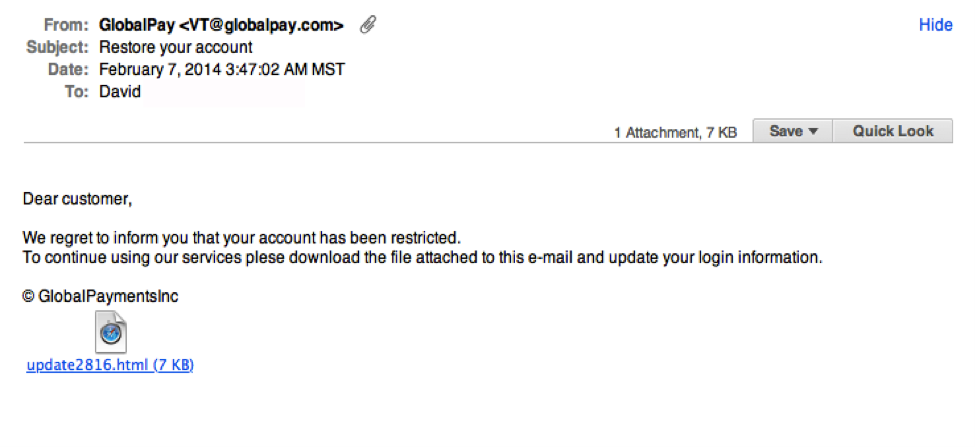
Chances are if you receive an unsolicited email from an institution that provides a link or attachment and asks you to provide sensitive information, it’s a scam. Most companies will not send you an unsolicited email asking for passwords, credit card information, credit scores, or tax numbers, nor will they send you a link from which you need to login.

 Notice the generic salutation at the beginning, and the unsolicited web link attachment?

In the next article: Email Phishing Example 2