
Astron Energy sites are launching LEFT, RIGHT and CENTRE! It’s exciting stuff!
Here’s a pic of Sapphire getting involved in the GEES on the forecourt today:

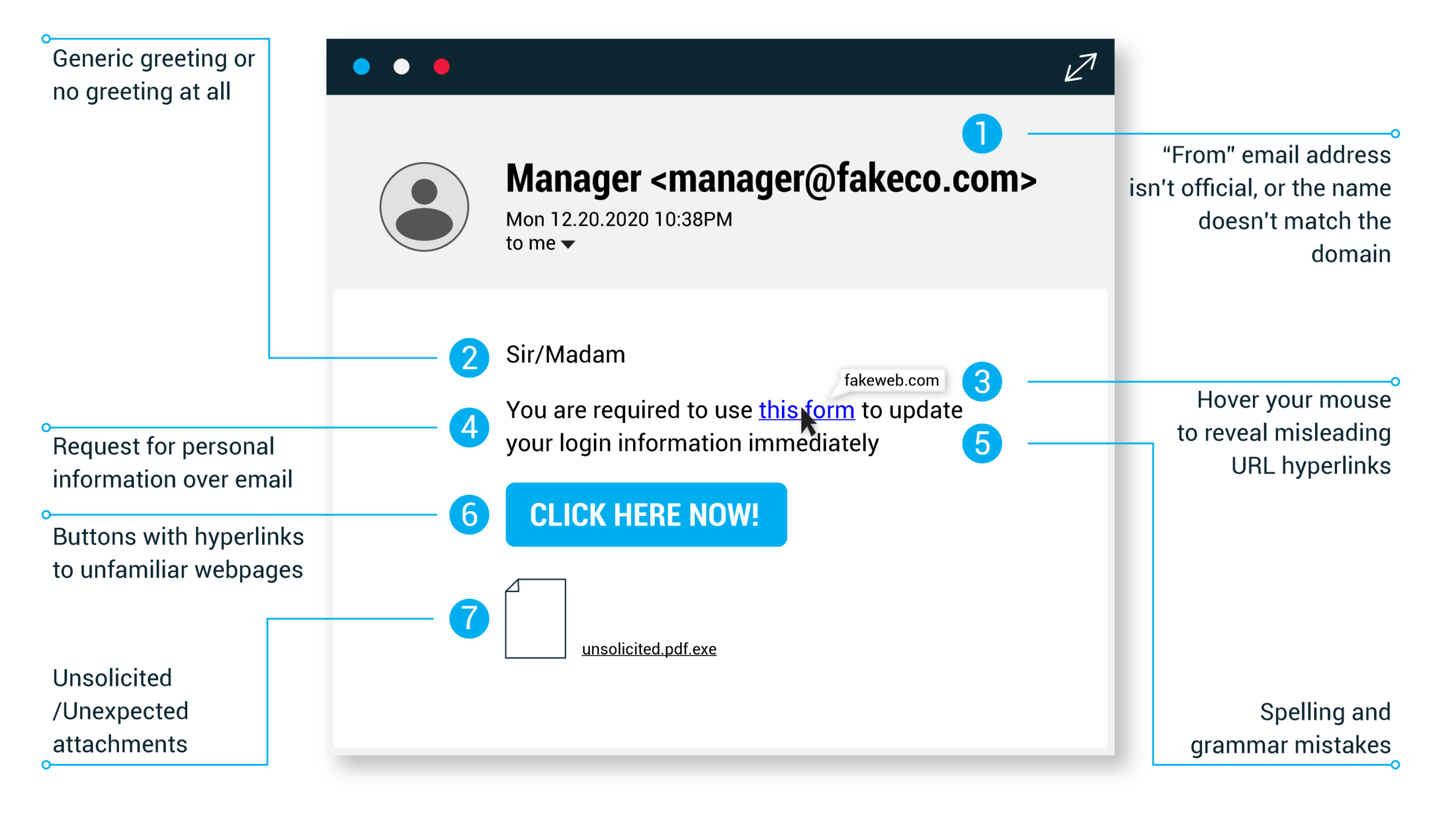
Just because a link says it’s going to send you to one place, doesn’t mean it’s going to. Double check URLs. If the link in the text isn’t identical to the URL displayed as the cursor hovers over the link, that’s a sure sign you will be taken to a site you don’t want to visit. If a hyperlink’s URL doesn’t seem correct, or doesn’t match the context of the email, don’t trust it. Ensure additional security by hovering your mouse over embedded links (without clicking!) and ensure the link begins with https://.
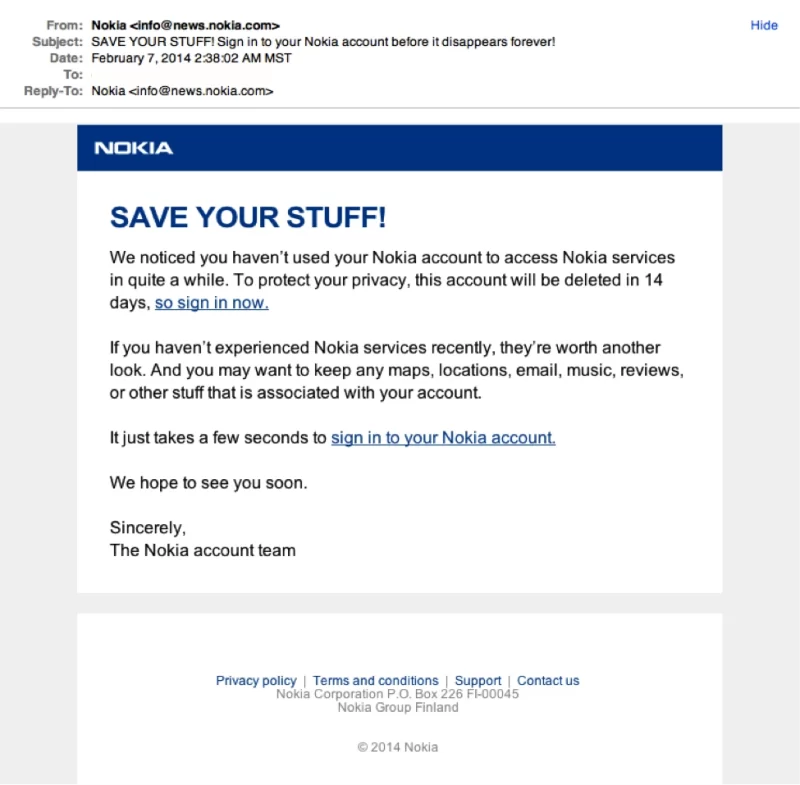
It doesn’t matter if we have all the best security systems and features in Sapphire. It takes only one inattentive employee to be fooled by a phishing attack to give away the data we’ve worked so hard to protect.
If you are unsure about an email, rather ask your line manager before replying to it or clicking any of the links.
Sometimes phishing emails are coded entirely as a hyperlink. Therefore, clicking accidentally or deliberately anywhere in the email will open a fake web page, or download spam onto your computer.
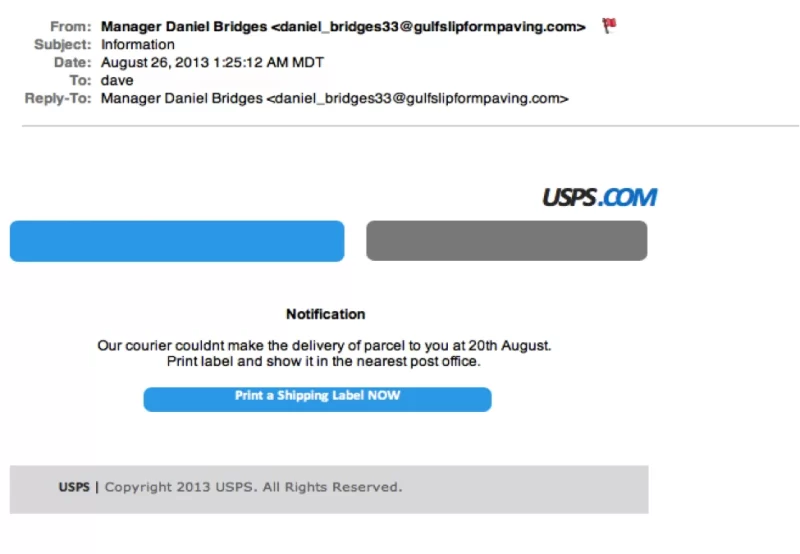
In the next article: Email Phishing Example 6
Don’t just check the name of the person sending you the email. Check their email address by hovering your mouse over the ‘from’ address. Make sure no alterations (like additional numbers or letters) have been made. Check out the difference between these two email addresses as an example of altered emails: michelle@paypal.com michelle@paypal23.com
Just remember, this isn’t a foolproof method. Sometimes companies make use of unique or varied domains to send emails, and some smaller companies use third party email providers.
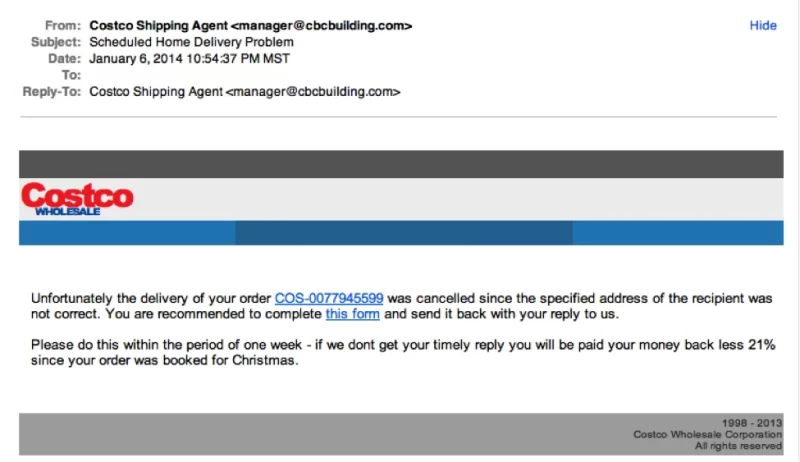

In the next article: Email Phishing Example 4
Phishing emails typically use generic salutations such as “Dear valued member,” “Dear account holder,” or “Dear customer.” If a company you deal with required information about your account, the email would call you by name and probably direct you to contact them via phone.
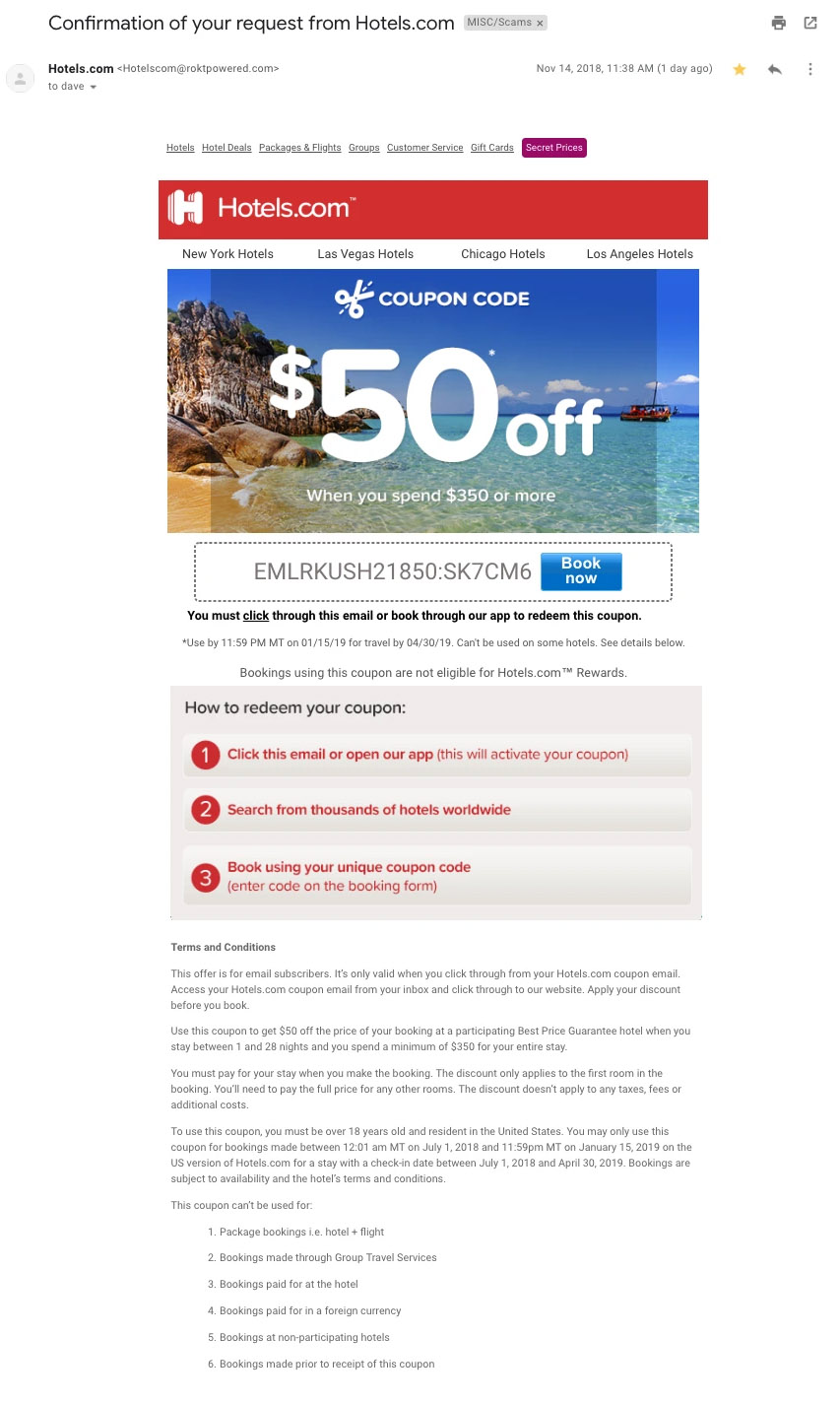
BUT, some hackers simply avoid the salutation altogether. This is especially common with advertisements. The phishing email below is an excellent example. Everything in it is nearly perfect. So, how would you spot it as potentially malicious?
In the next article: Email Phishing Example 3