
Astron Energy sites are launching LEFT, RIGHT and CENTRE! It’s exciting stuff!
Here’s a pic of Sapphire getting involved in the GEES on the forecourt today:

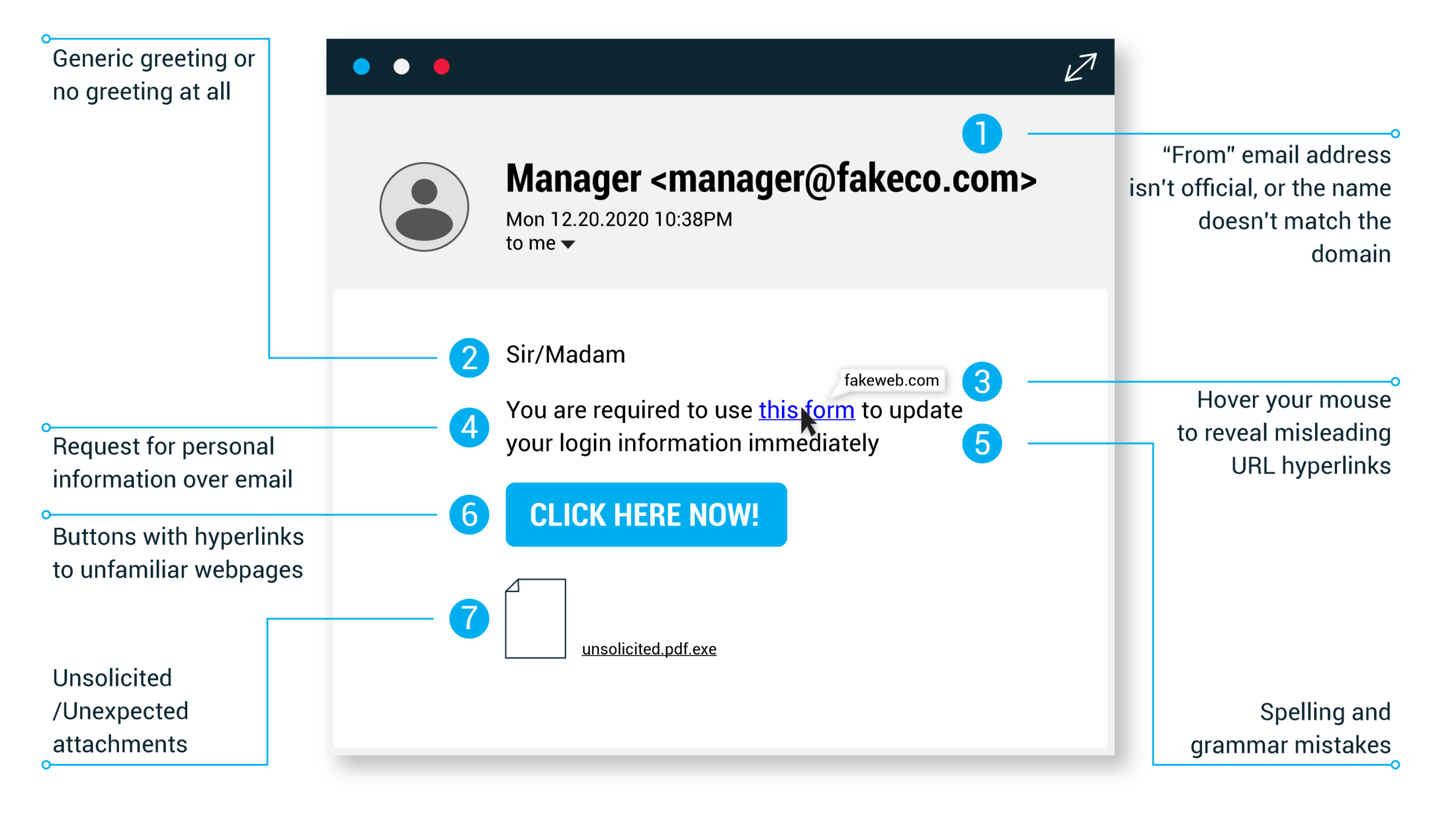
Just because a link says it’s going to send you to one place, doesn’t mean it’s going to. Double check URLs. If the link in the text isn’t identical to the URL displayed as the cursor hovers over the link, that’s a sure sign you will be taken to a site you don’t want to visit. If a hyperlink’s URL doesn’t seem correct, or doesn’t match the context of the email, don’t trust it. Ensure additional security by hovering your mouse over embedded links (without clicking!) and ensure the link begins with https://.
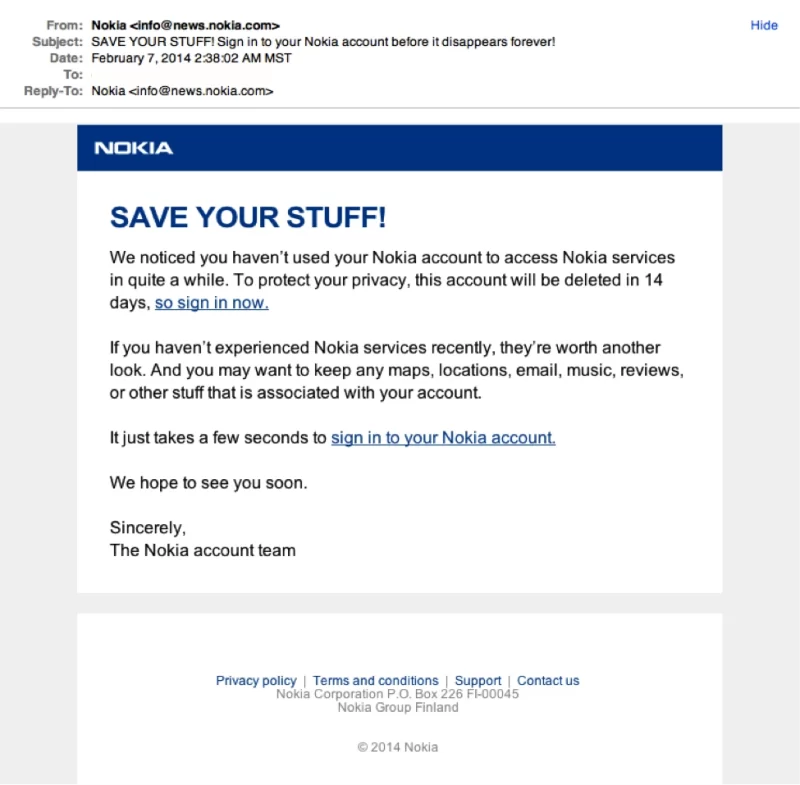
It doesn’t matter if we have all the best security systems and features in Sapphire. It takes only one inattentive employee to be fooled by a phishing attack to give away the data we’ve worked so hard to protect.
If you are unsure about an email, rather ask your line manager before replying to it or clicking any of the links.
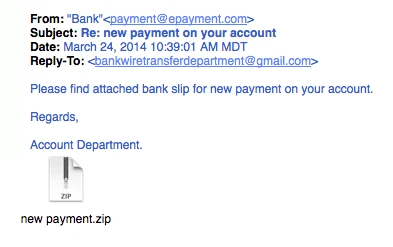
Unsolicited emails that contain attachments reek of hackers. Typically, authentic institutions don’t randomly send you emails with attachments, but instead direct you to download documents or files on their own website.
Like the tips above, this method isn’t foolproof. Sometimes companies that already have your email will send you information, such as a white paper, that may require a download. In that case, be on the lookout for high-risk attachment file types include .exe, .scr, and .zip. (When in doubt, contact the company directly using contact information obtained from their actual website.)
In the next article: Email Phishing Example 7
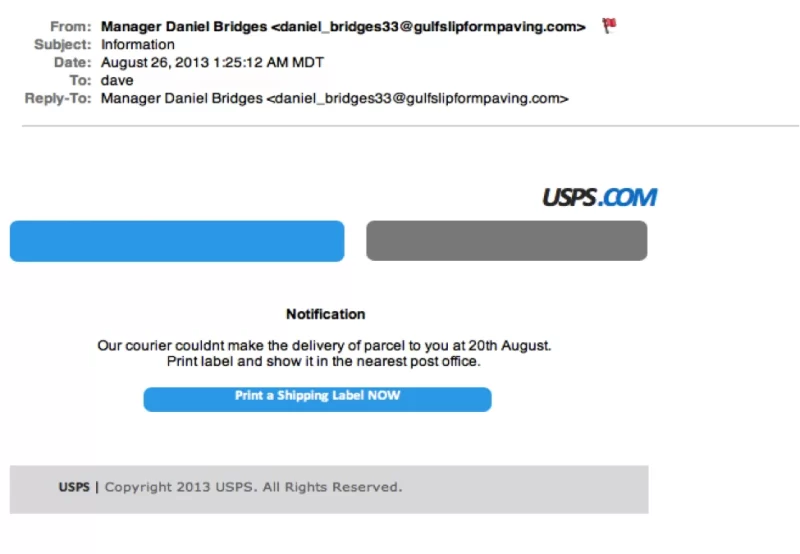
Sometimes phishing emails are coded entirely as a hyperlink. Therefore, clicking accidentally or deliberately anywhere in the email will open a fake web page, or download spam onto your computer.
In the next article: Email Phishing Example 6
Possibly the easiest way to recognise a scam email is bad grammar. An email from a legitimate organisation should be well written. Little known fact – there’s actually a purpose behind bad syntax. Hackers generally aren’t stupid. They prey on the uneducated believing them to be less observant and thus, easier targets.
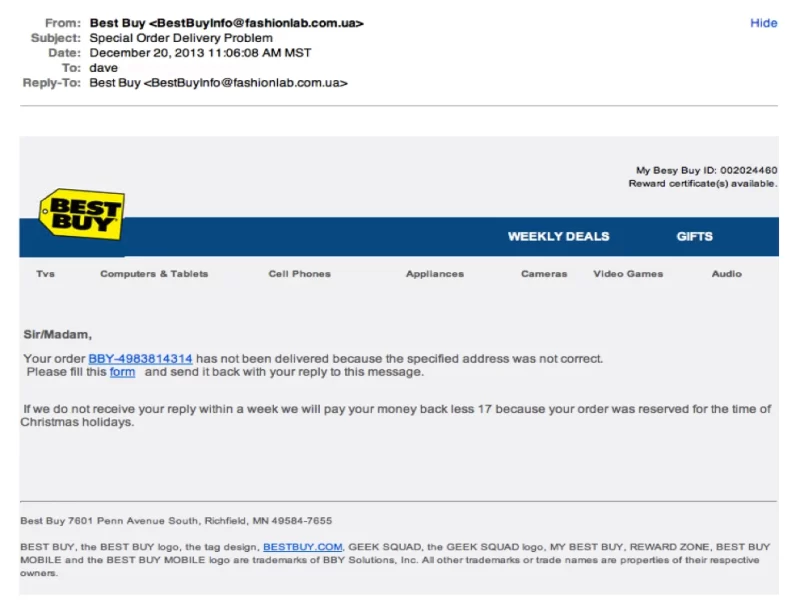
In the next article: Email Phishing Example 5